
Download Personal Trader – Stock Trading Portfolio Manager for macOS
Overview
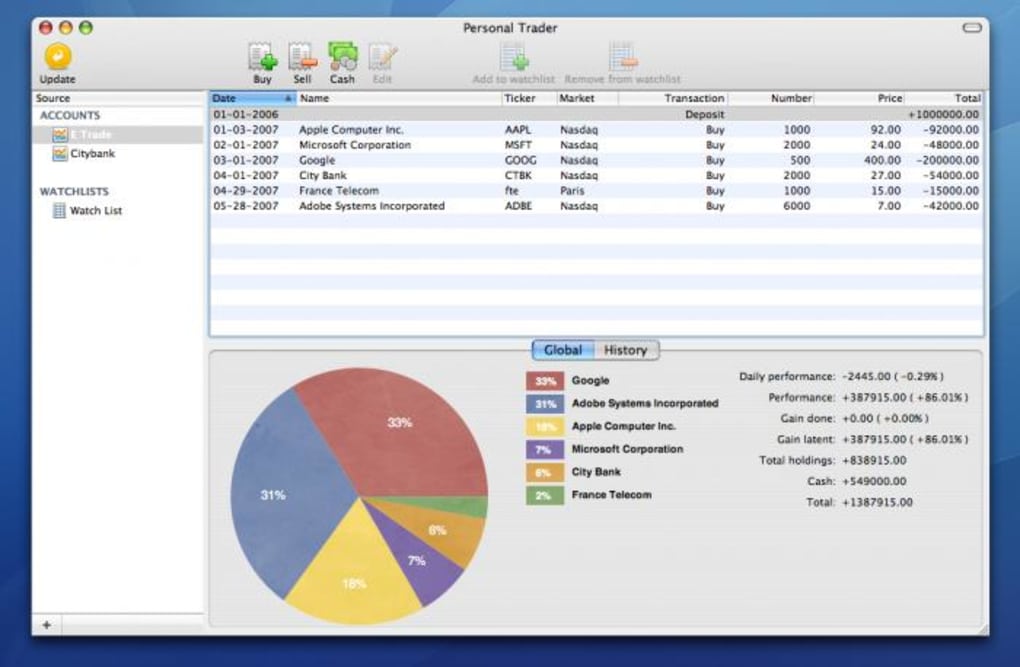
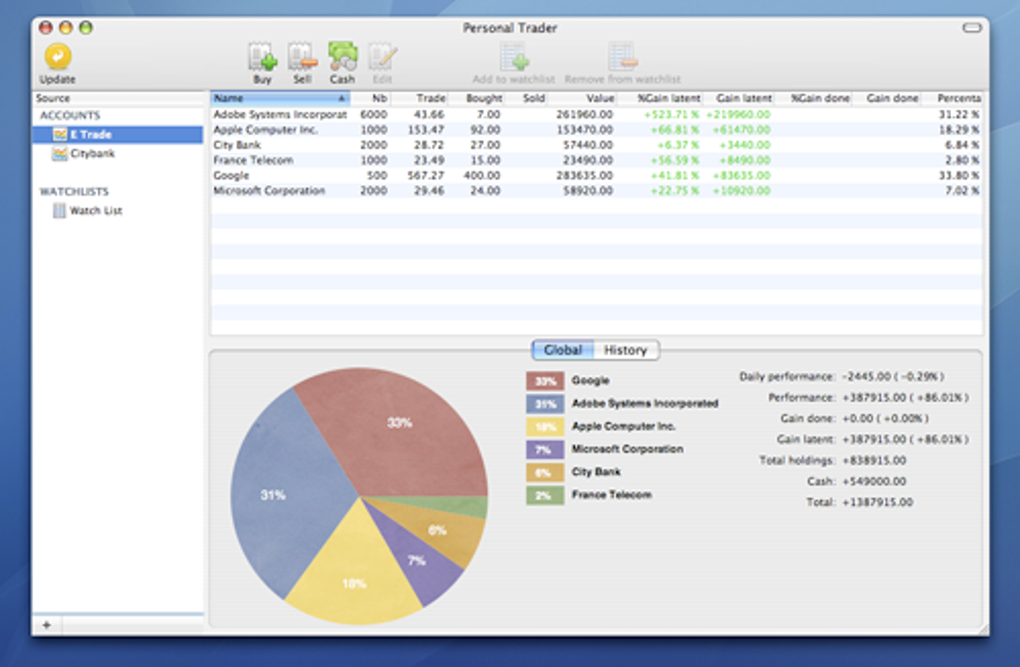
Personal Trader is a purpose‑built macOS application that brings a clear, visual approach to managing stock portfolios across the United States and Europe. Whether you are a seasoned day‑trader or a casual investor who wants to keep an eye on dividend payments, the software consolidates data from up to 13 international markets—including the NYSE, Nasdaq, and Frankfurt Exchange—into a single, easy‑to‑read dashboard. The interface separates live market metrics such as price variation, trading volume, daily highs and lows, and then mirrors your holdings in a colorful pie chart that instantly reveals allocation by sector or currency.
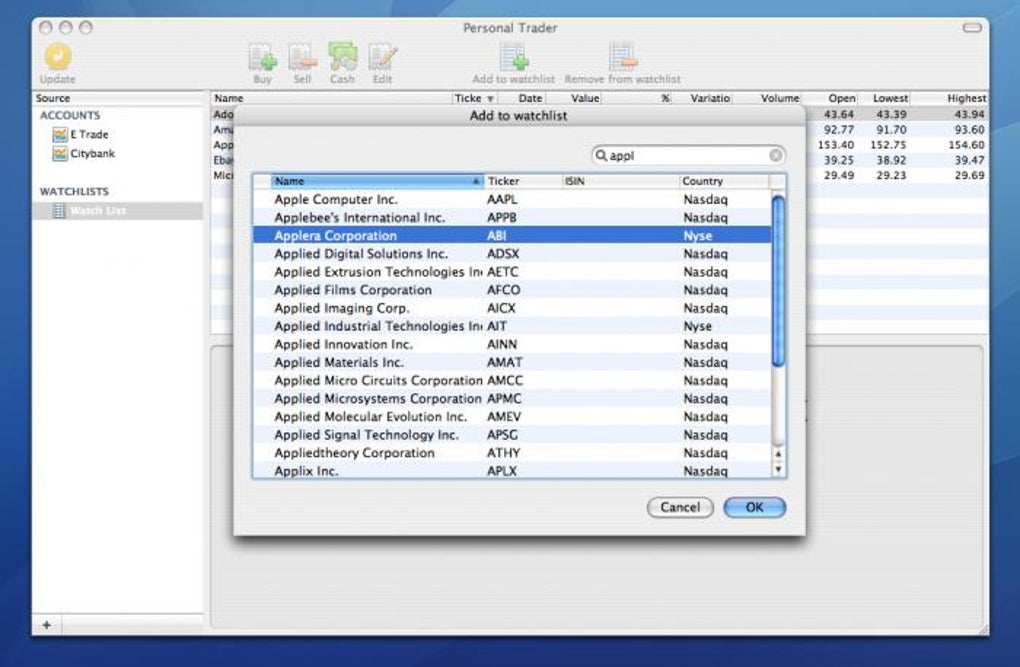
While the app does not support direct order execution, it excels at post‑trade monitoring: you can track dividend dates, stock splits, and any ancillary fees that may affect your returns. Quotes are sourced from Yahoo Finance and are delayed by 15 minutes, which is sufficient for most long‑term strategies. A robust watchlist feature lets you add up to 10,000 tickers from European and American markets, making it simple to follow stocks you are interested in without opening multiple browser tabs.
Although Asian markets and their currencies are currently outside the scope of Personal Trader, the tool still offers a comprehensive snapshot of Western equity performance, all wrapped in a sleek, Mac‑native design that feels both secure and responsive.
Key Features & Installation Guide
Feature List
- Support for 13 international exchanges, including NYSE, Nasdaq, and Frankfurt.
- Multi‑currency handling for USD, EUR, GBP, and four additional currencies.
- Real‑time (15‑minute delayed) quotes powered by Yahoo Finance.
- Interactive pie‑chart visualization of portfolio distribution.
- Watchlist capable of storing up to 10,000 tickers from European and American markets.
- Dividend, stock‑split, and fee tracking for each position.
- Clean, macOS‑native UI with dark‑mode support.
- Export options for CSV and PDF reporting.
- Secure local storage of account data with optional iCloud sync.
- Free basic version with optional paid upgrade for premium features.
Step‑by‑Step Installation
Downloading Personal Trader is straightforward. Begin by visiting the official website or the Mac App Store. Click the “Download for macOS” button, which initiates a .dmg file download.
Once the file is on your Mac, double‑click to mount the disk image. Drag the Personal Trader icon into your Applications folder, then eject the disk image. The first launch will trigger macOS Gatekeeper; approve the application by clicking “Open” in the security prompt.
Upon startup, the wizard guides you through a quick setup: you’ll create a master password, optionally enable iCloud sync, and import existing portfolio data via CSV. After completing the wizard, the main dashboard appears, ready for you to add accounts, import tickers, and start building your watchlist. Regular updates are delivered automatically through the App Store, ensuring you always have the latest security patches and feature enhancements.
Compatibility, Pros & Cons
Operating System Compatibility
Personal Trader is built exclusively for macOS 10.15 (Catalina) and later. The application leverages Apple’s Metal graphics API for smooth chart rendering and supports both Intel‑based and Apple‑silicon Macs. While a Windows version is not currently offered, the macOS‑only focus allows the developers to fine‑tune performance and UI consistency. Users on iOS or iPadOS can view portfolio summaries through a companion web portal, but the full feature set remains a desktop‑only experience.
Pros
- Intuitive UI: The clean layout and visual pie chart make portfolio analysis effortless.
- Multi‑market coverage: Access to major US and European exchanges without needing separate feeds.
- Robust watchlist: Ability to monitor up to 10,000 tickers keeps you organized.
- Secure local storage: Data is encrypted on your Mac, with optional iCloud backup for peace of mind.
- Free entry point: The basic version is free, allowing new investors to test the tool before upgrading.
Cons
- No trading execution: You must use a broker’s platform to place orders.
- 15‑minute quote delay: Real‑time traders may find the delay limiting.
- Limited to Western markets: Asian exchanges and currencies are not supported.
- macOS‑only: Windows and Linux users cannot run the native app.
- Premium features locked: Advanced analytics require a paid upgrade.
Overall, Personal Trader offers a compelling blend of visual insight and portfolio management tools that cater to both novices and seasoned investors on macOS.
FAQ & Conclusion
Is Personal Trader free to use?
Yes, a fully functional basic version is available at no cost. A premium tier adds advanced analytics and export options for a modest annual fee.
Can I trade directly from Personal Trader?
No. The app focuses on monitoring and analysis. You’ll need to place orders through your broker’s platform.
How often are market quotes updated?
Quotes are refreshed every 15 minutes, sourced from Yahoo Finance. This delay is suitable for most long‑term investors.
Does Personal Trader support iCloud backup?
Yes, during the initial setup you can enable iCloud sync, which stores encrypted portfolio data securely in the cloud.
What macOS versions are compatible?
Personal Trader runs on macOS Catalina (10.15) and later, supporting both Intel and Apple‑silicon machines.
Final Thoughts
Personal Trader delivers a polished, macOS‑native solution for investors who need a reliable way to track stocks across major US and European exchanges. Its visual portfolio breakdown, extensive watchlist, and dividend monitoring features make it a valuable companion for anyone looking to stay informed without the clutter of multiple broker dashboards. While the lack of real‑time quotes and trading execution may deter high‑frequency traders, the app’s free tier and secure design are perfect for long‑term portfolio stewardship. If you’re ready to simplify your stock‑tracking routine on a Mac, download Personal Trader today and start visualizing your investments with confidence.







